FeaturesHow it WorksPricingContactSign inCustomer portalBook a DemoStart Free Trial

Full Feature List

Every tool your team needs,
built for the trade.

SmartMQ covers your entire workflow — from first enquiry to final install — with features purpose-built for the blinds and curtains industry.

Start Free TrialSee Pricing →

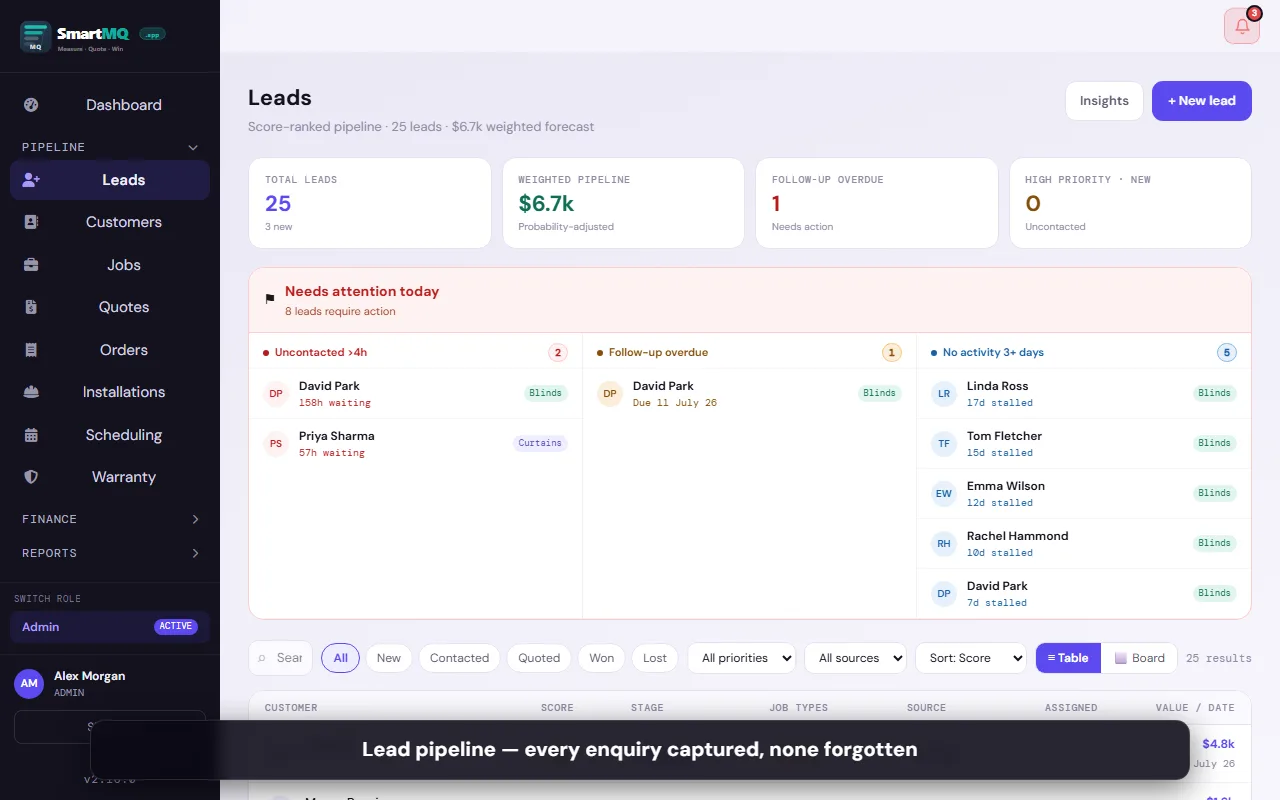
Lead Management

Never lose a prospect again.

Every enquiry — phone, web form, walk-in — captured and tracked in one place. Set follow-up reminders, record notes, and move leads through your pipeline with a tap.
Lead capture

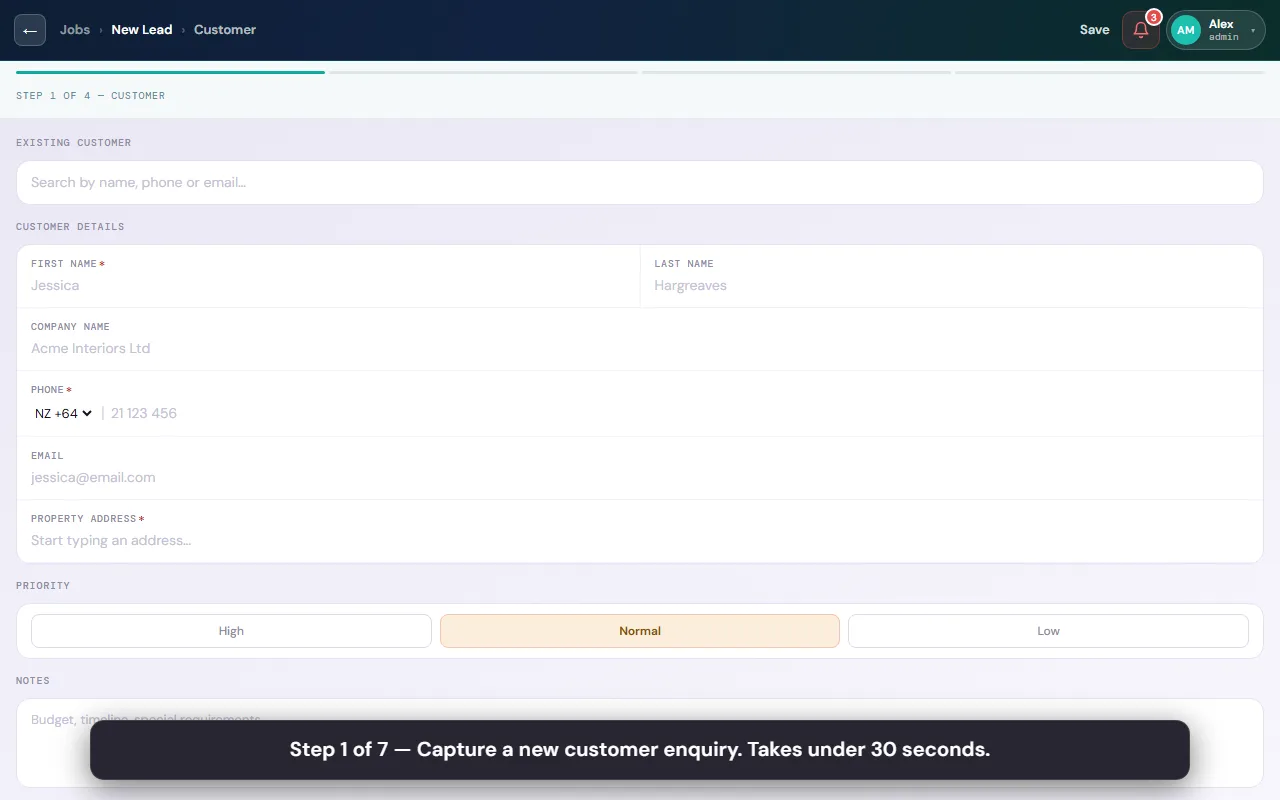
Log new leads instantly with name, address, contact details, and product interest.

Pipeline status

Track every lead through: New → Contacted → Quoted → Booked → Installed.

Follow-up reminders

Set a reminder date on any lead — the app surfaces overdue follow-ups in your daily task list.

Notes & activity log

Record call notes, emails sent, and visit history against each customer record.

Customer history

See every job, quote, and order ever done for a customer in one timeline.

Lead source tracking

Tag how the enquiry came in — referral, Google, Facebook, showroom walk-in — to track what works.

Customer segmentation

Tag customers as VIP, High Value, Repeat, Commercial, Builder, Designer — filter and search instantly.

Facebook Lead Ad auto-import

Leads from your Facebook Lead Ad forms are automatically created as SmartMQ jobs — no manual copy-paste.

On-site Measuring

Measure sheets that go where you go.

Digital measure sheets built specifically for blinds and curtains — room by room, window by window, with photos attached. Works with no internet signal.
Room-by-room sheets

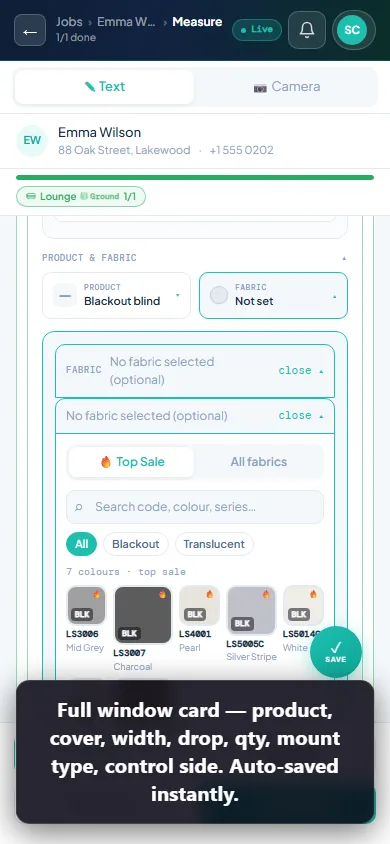
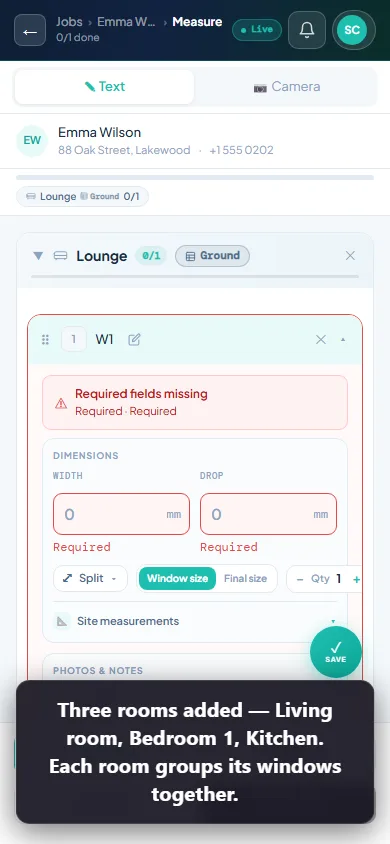
Add rooms, then windows within each room. Each window gets its own measure record.

Width & drop fields

Pre-labelled fields for width, drop, inside/outside fit, mounting type, and control side.

Photo capture

Attach photos from your phone camera directly to each window. Synced to the cloud instantly.

Camera annotation

Draw measurements and split lines directly on the photo — annotated image saved with the window record.

Inside/outside fit

Built-in fit type selector — recessed, face fix, ceiling fix — pre-populated on the quote.

Works offline

Measure sheets save locally first. Data syncs to the cloud the moment you get signal back.

Multiple products per window

Add roller blind, sheer curtain, and pelmet all on the same window record.

Quantity & splits

Set quantity or split a wide window into multiple panels with individual widths.

Measurement history

All measure records are saved forever — revisit a job from two years ago in seconds.

PDF measure sheet

Export a formatted PDF of your measure sheet for records or supplier submission.
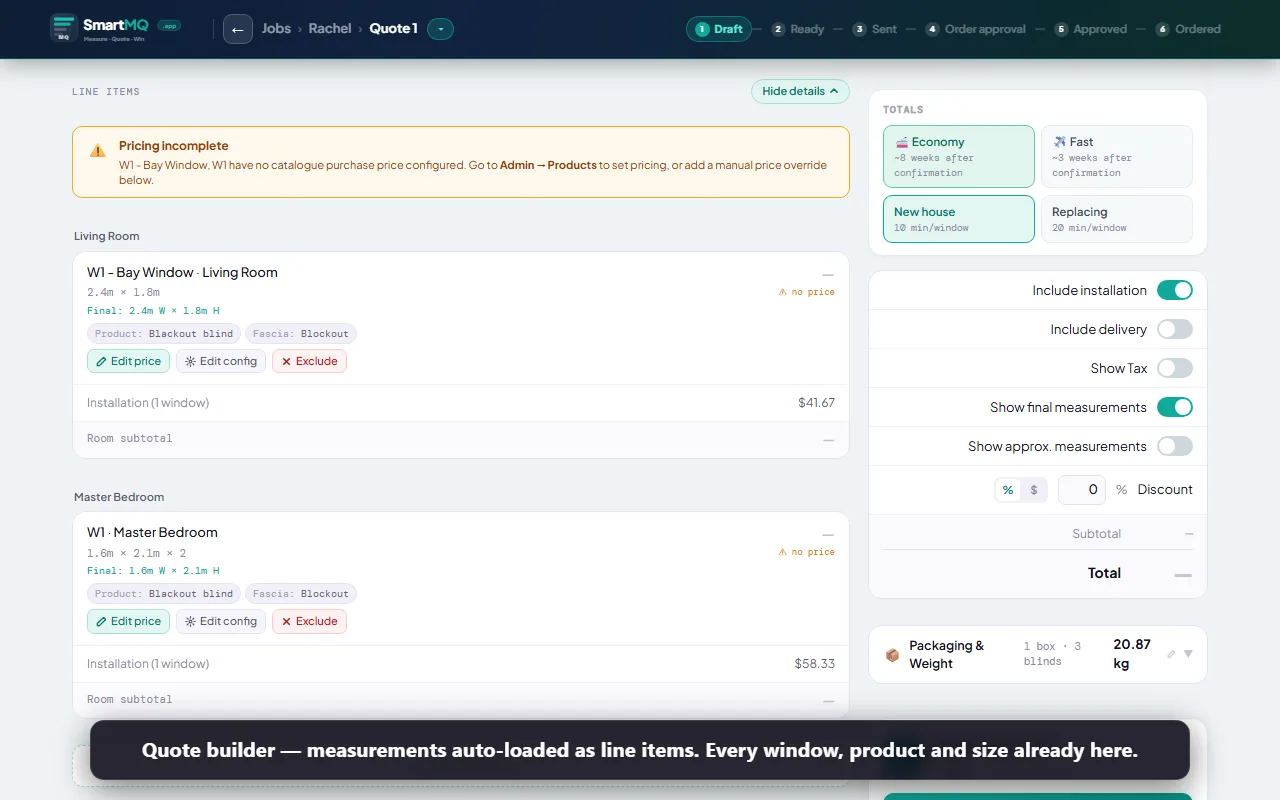
Quote Builder

Professional quotes in minutes, not hours.

Build quotes directly from your product catalogue and measure sheet data. Generate a branded PDF and send it to the client for approval — all without leaving the app.
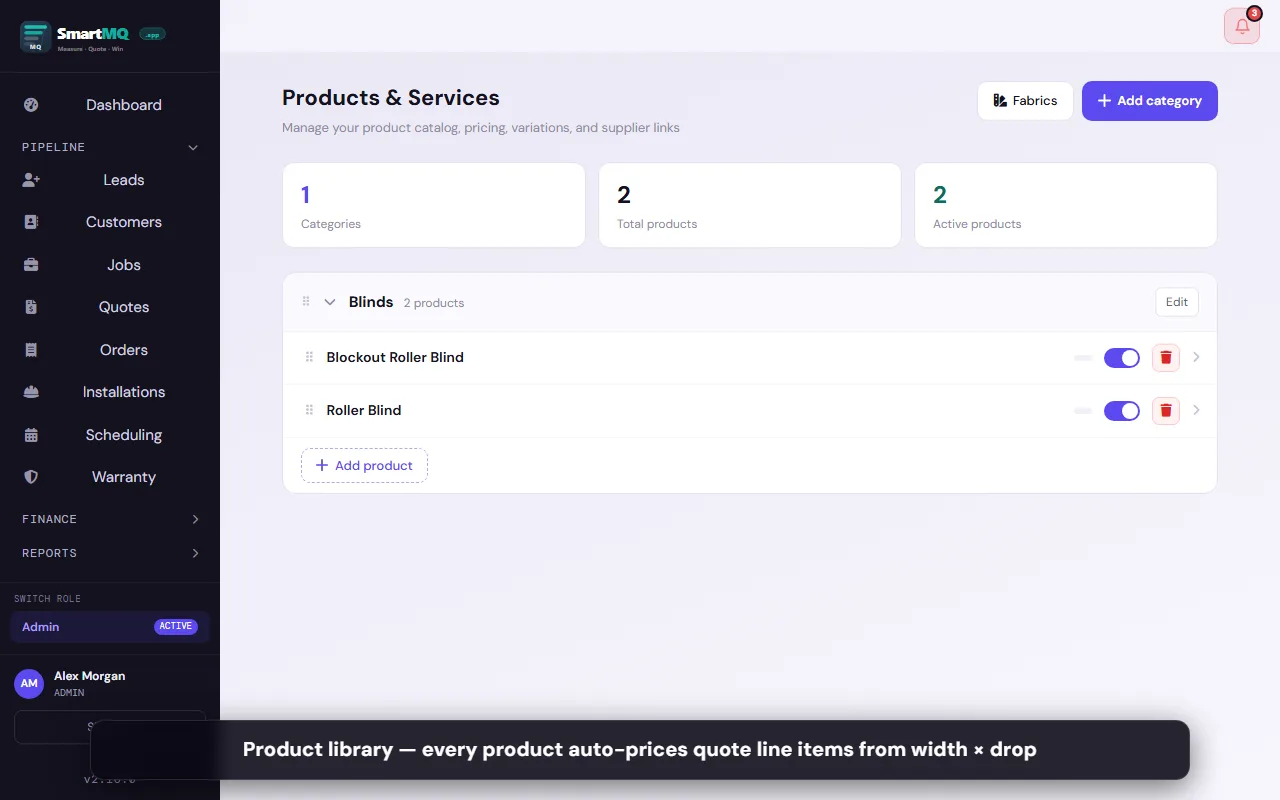
Product catalogue

Maintain your full range of products, fabrics, and options with pricing. Prices auto-populate on quotes.

Measure-to-quote

Dimensions from your measure sheet pre-fill the quote — no re-entry.

Variation options

Choose fabric, colour, control type, and hardware per line item. Display labels show on the PDF.

Automatic pricing

Per-unit pricing calculated from width × drop + any fabric or option price deltas.

Supply & install

Set separate supply-only vs supply-and-install pricing per product.

Discount & markup

Apply a percentage discount or markup to the whole quote or individual lines.

Deposit invoices

Generate a deposit invoice for a percentage or fixed amount before work begins. (Pro+)

Client e-approval

Share a link the client can open on their phone. They tap Approve and you get notified instantly.

Quote PDF export

Branded PDF with your logo, franchise details, line items, totals, and terms.

Shareable quote links

Send a unique link that shows a live quote — no PDF attachment needed. (Pro+)

View tracking

See when the client opened the quote link so you know when to follow up. (Pro+)

Stripe payment links

Clients pay deposits and invoices by credit card via a Stripe payment link — no chasing bank transfers. (Pro+)

Order & Install Workflow

From approved quote to completed install — tracked.

Convert approved quotes to supplier orders with one click. Track manufacturing progress, delivery, and installation scheduling without a single spreadsheet.
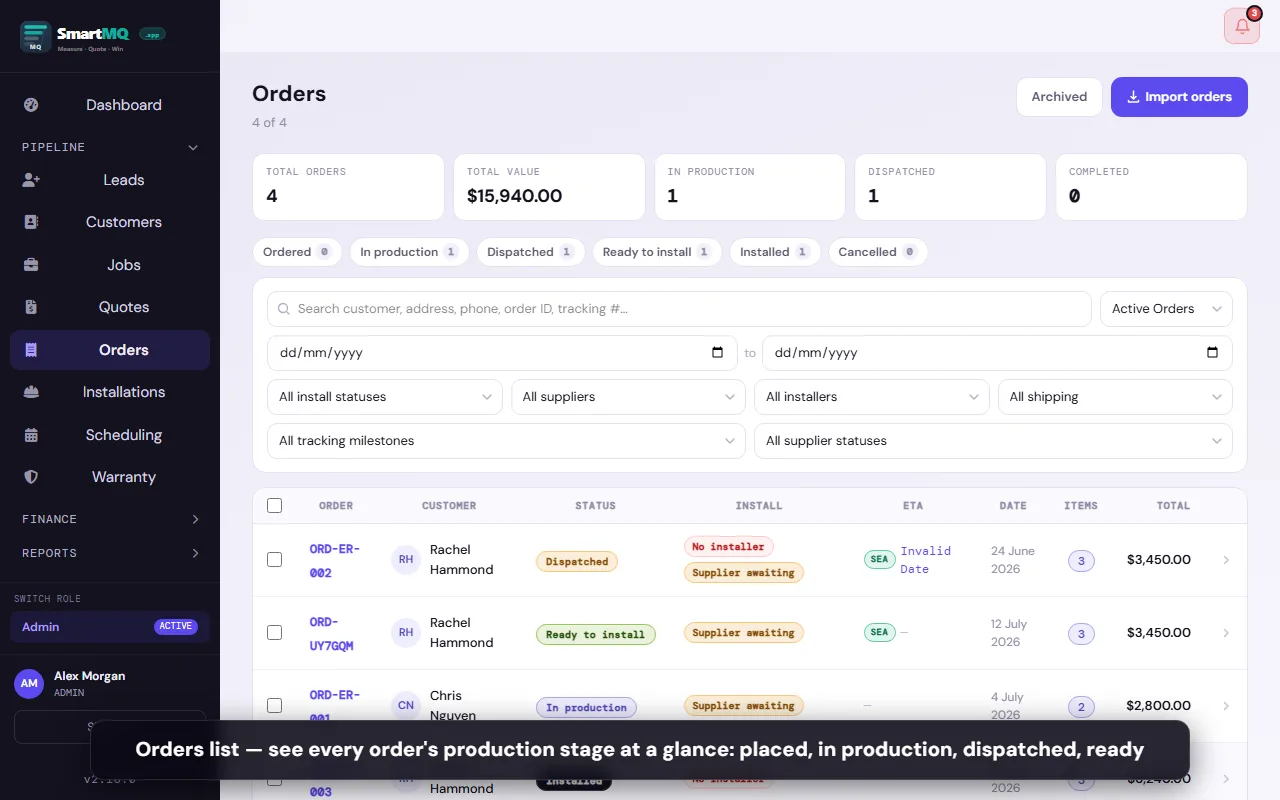
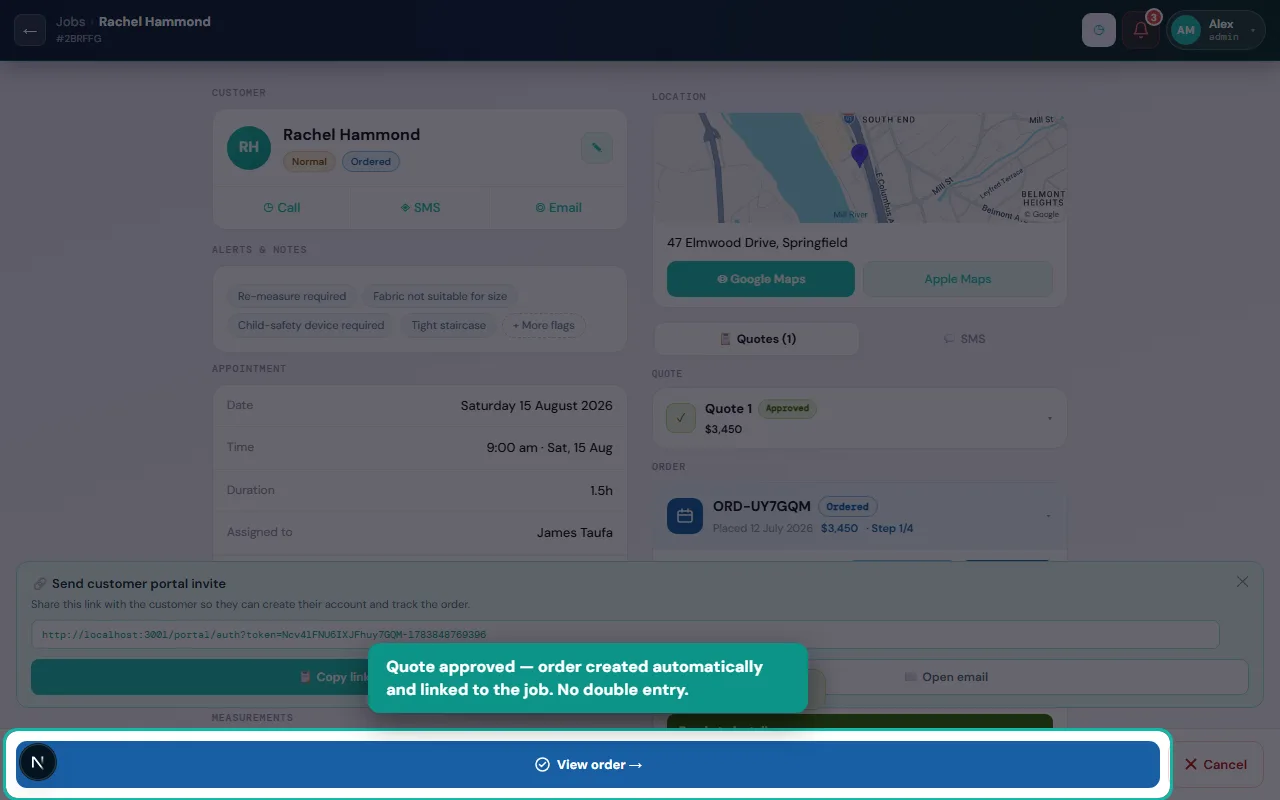
One-click ordering

Convert an approved quote to a supplier order in one tap. All product specs carry over.

Multiple suppliers

Split a single job across multiple suppliers — each gets their own order and tracking.

Supplier portal

Suppliers update order status and add tracking numbers through a secure token-gated portal — no login required.

Order status tracking

Track each order through: Pending → Confirmed → In Production → Ready → Dispatched.

Delivery tracking

Log courier tracking numbers and expected delivery dates per supplier order.

Customer tracking link

Share a live link with the customer so they can check their order status without calling.

Installation scheduling

Schedule the installation date from within the job. Assign an installer from your team.

Installer mobile view

Installers see their assigned jobs for the day with all measure notes and access codes.

Job completion sign-off

Installer marks the job complete on their phone. Admin gets notified immediately.

Invoice generation

Generate a final tax invoice at job completion. Send by email or share a link. (Pro+)
Warranty registration

Register warranties at install time — logged against the customer record. (Pro+)

Customer Portal

Give clients a window into their job.

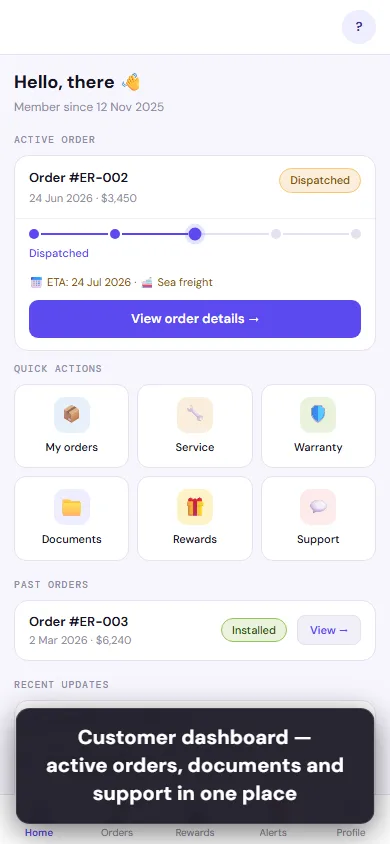
A branded self-service portal your customers log into to track orders, view and approve quotes, download invoices, submit warranty claims, and refer friends.
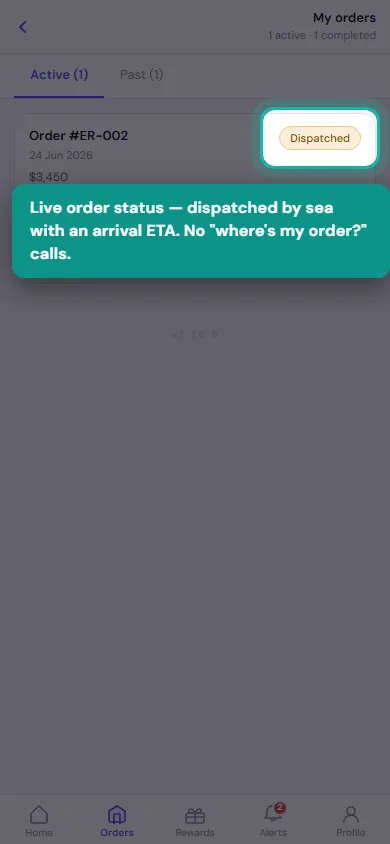
Order tracking

Customers follow their order from production to dispatch to install — without calling you.

Quote approval

Clients review and approve quotes on any device. You get notified the moment they tap approve.

Invoice download

Customers download their own invoices and deposit receipts from the portal.

Warranty claims

Customers submit warranty claims with photos through the portal — visible instantly in admin. (Pro+)

Service requests

Post-install service and repair requests submitted through the portal — tracked in admin.

Referral program

Customers share a referral link and earn store credit when a friend signs up. Google review rewards. (Pro+)

Team & Branch Management

The right access for every role.

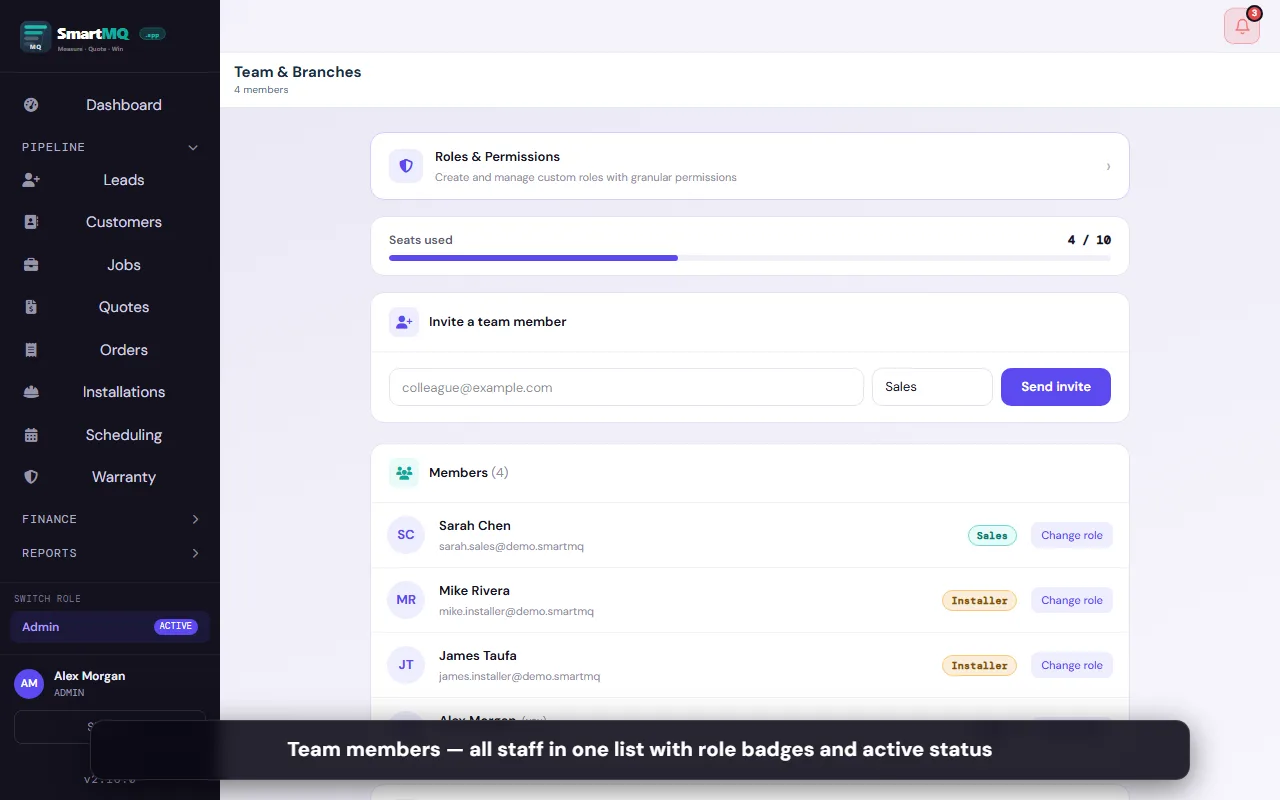
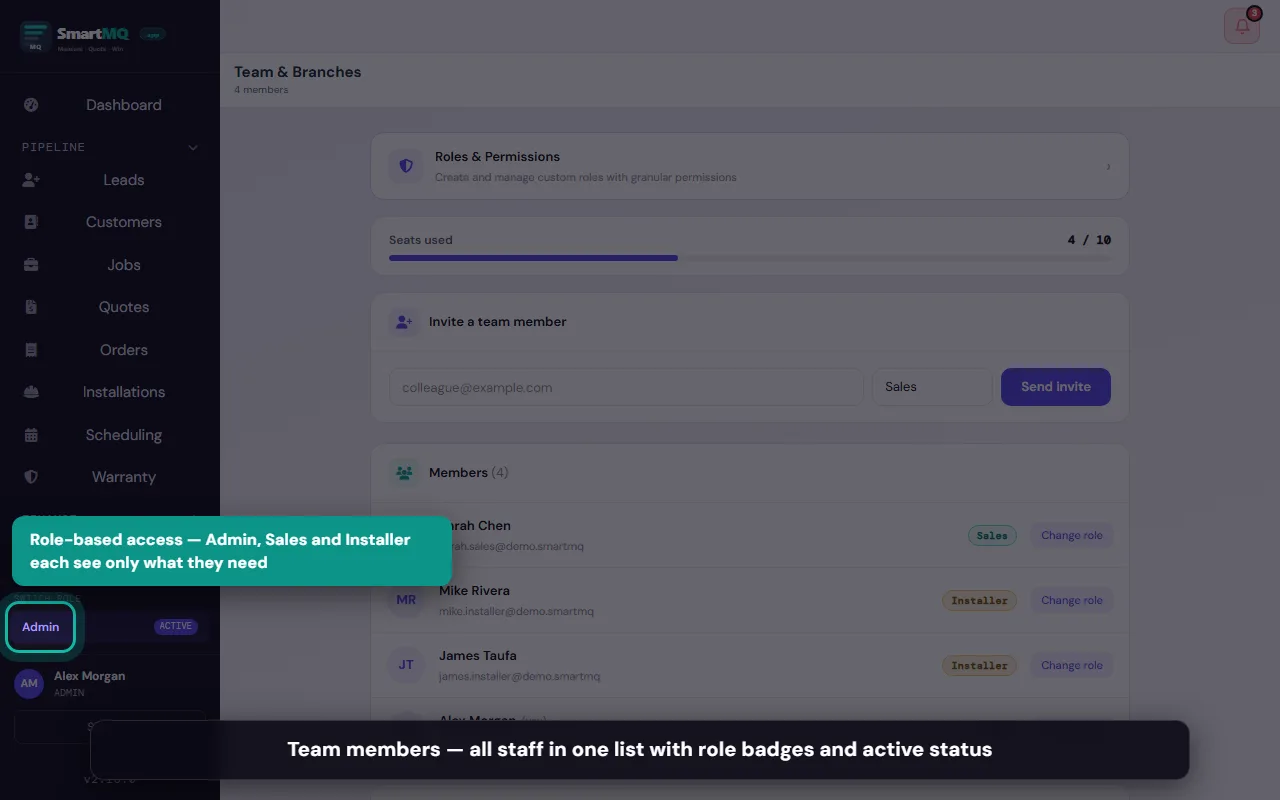
Multi-role, multi-branch support built in from day one. Sales reps, installers, and admins each see what they need — nothing more, nothing less.
Role-based access

Admin, Sales, and Installer roles with separate views and permissions.

Custom roles & permissions

Create custom roles with granular permission control across jobs, quotes, orders, finance, and team. (Pro+)

Multi-branch

Run multiple locations from one account — each branch sees only its own jobs. (Pro+)
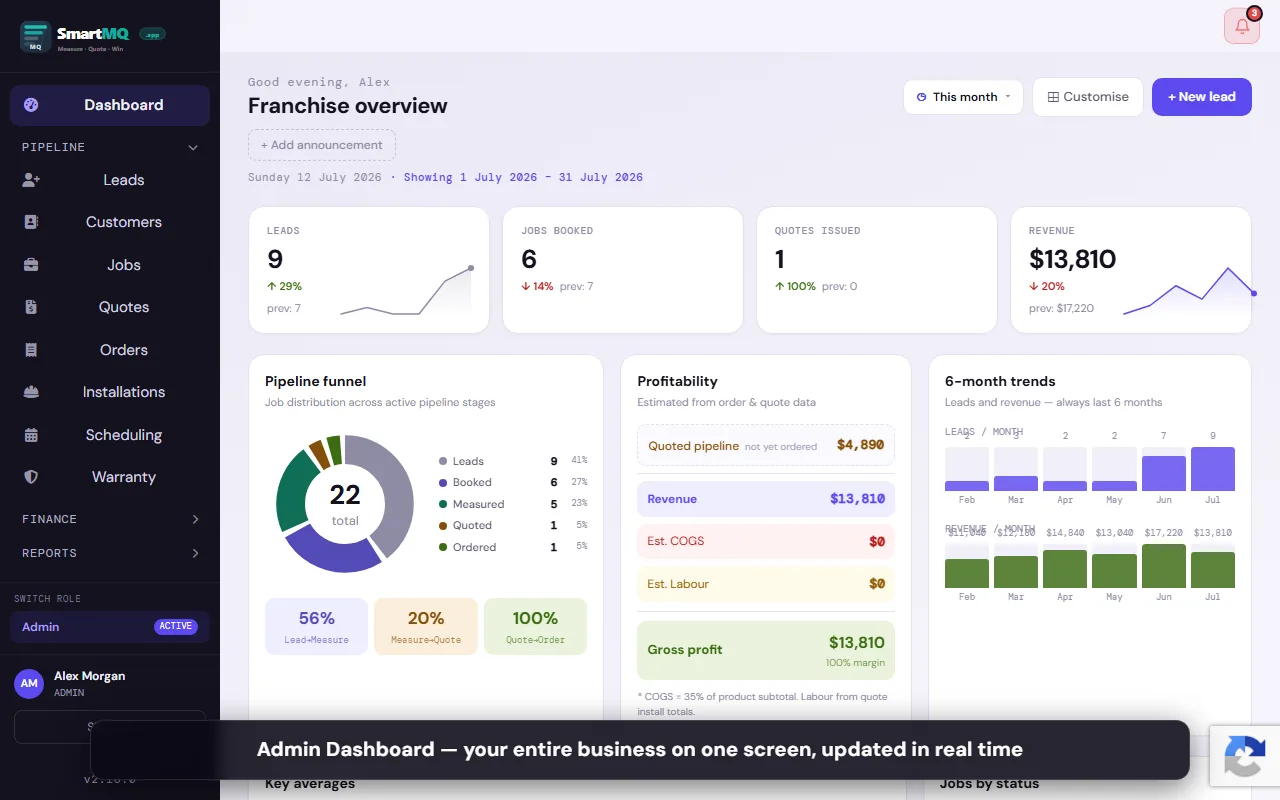
Team invitation

Invite team members by email. They set their own password and are ready in minutes.

Installer assignment

Assign jobs to installers at booking. They get a push notification and see the job in their queue.

Calendar view

Admin calendar shows all booked jobs, measure appointments, and installs at a glance.

Daily task list

Each user sees their own personalised daily task list — follow-ups, measures, installs due.

Push notifications

Real-time push alerts for job assignments, approvals, and status changes. iOS and Android.

Audit log

Full history of who changed what and when on every job and quote. (Pro+)

Analytics & Reporting

Know your numbers without a spreadsheet.

Revenue, job counts, conversion rates, and pipeline value — surfaced automatically from your live data.
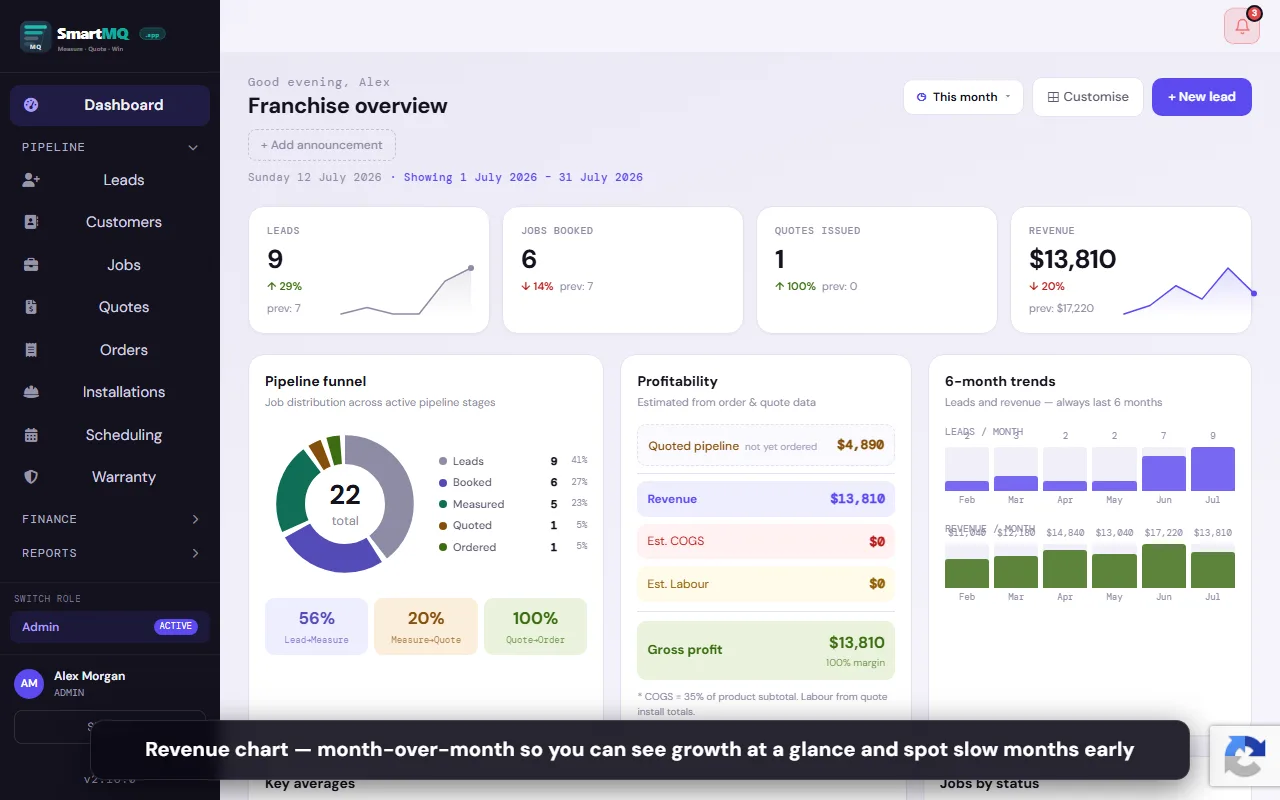
Revenue dashboard

Monthly revenue trend, confirmed deal count, and average deal size. Updated in real time. (Pro+)

Job pipeline report

See how many jobs are at each stage and the total value in your pipeline. (Pro+)

Conversion funnel

Visual funnel from lead to installed — spot where jobs are stalling. (Pro+)

Revenue by product type

Breakdown of confirmed revenue by Curtains, Blinds, Shutters, and Awnings. (Pro+)

Customisable dashboard

Drag-and-drop KPI widgets on the admin home screen — show only what matters to you. (Pro+)

Reconciliation

Match supplier bills against orders, track factory totals, and close off each period. (Enterprise)

Marketing Automation

Stay top of mind without extra effort.

Automated messages, social posting, and lead capture — running in the background while you focus on the work.
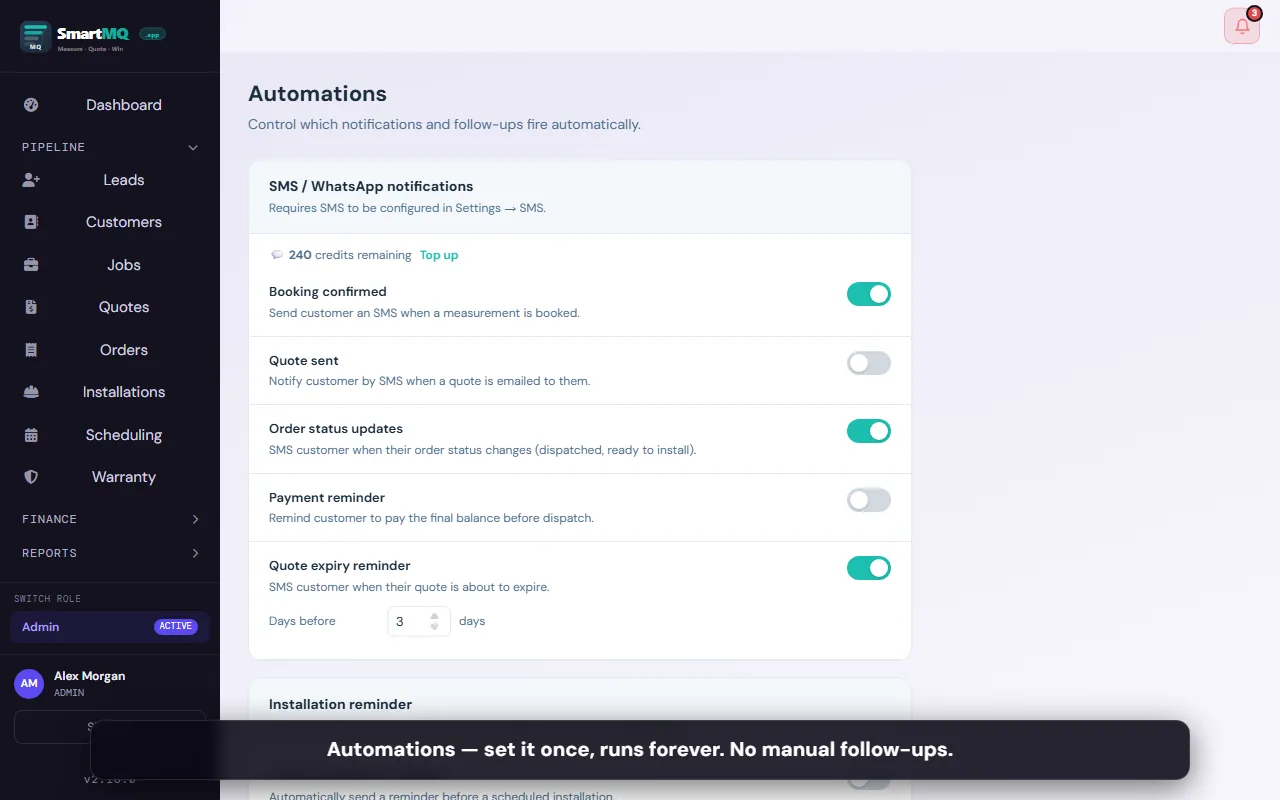
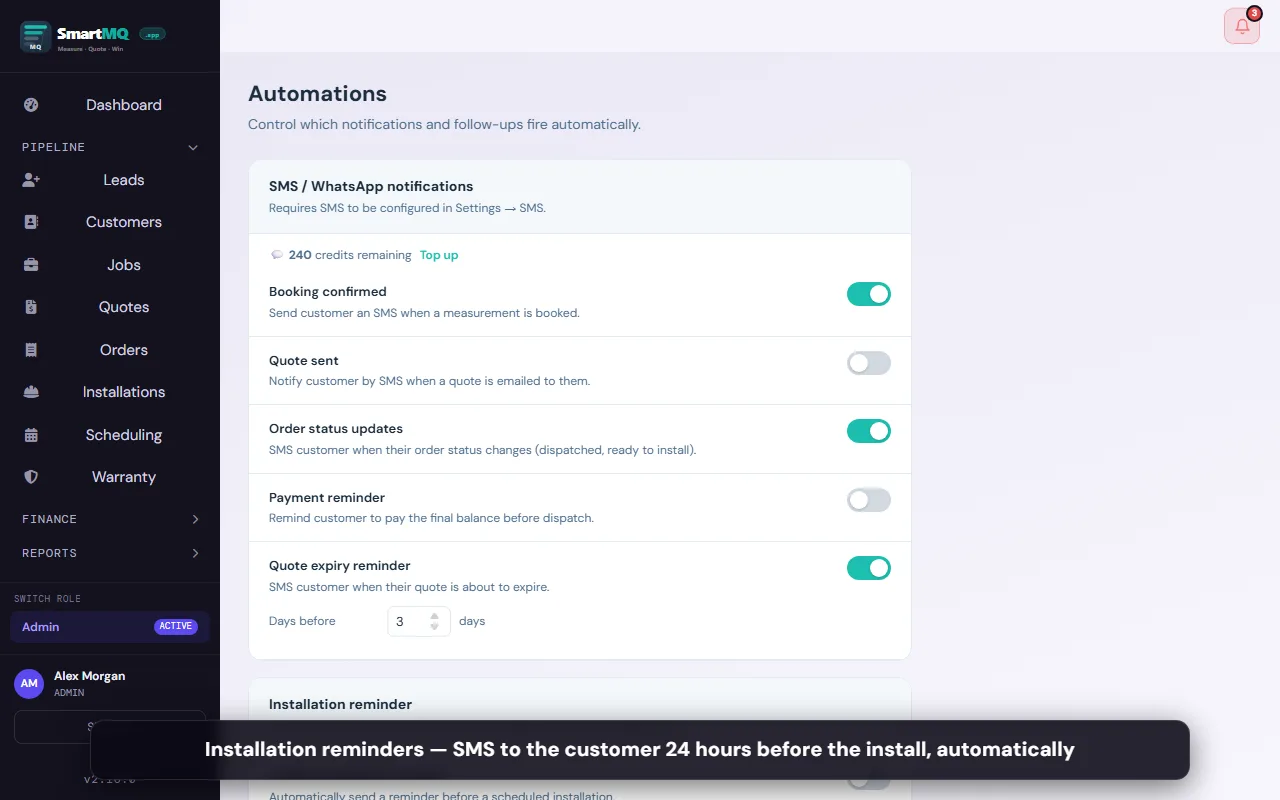
SMS & WhatsApp reminders

Automated booking confirmation and install reminder messages sent to customers. (All plans*)

Order notifications

Auto-notify customers when their order is dispatched or ready for install. (Pro+)

Dedicated number

Two-way WhatsApp with your own dedicated number — customers can reply. (Pro+)

WhatsApp lead bot

6-step qualifying conversation that captures lead details and creates a SmartMQ job. (Pro+)

Facebook Page posting

Share completed installation photos to your Facebook Page directly from the job. (All plans)

Facebook Lead Ad auto-import

Facebook Lead Ad submissions create SmartMQ jobs automatically — zero manual entry. (Pro+)
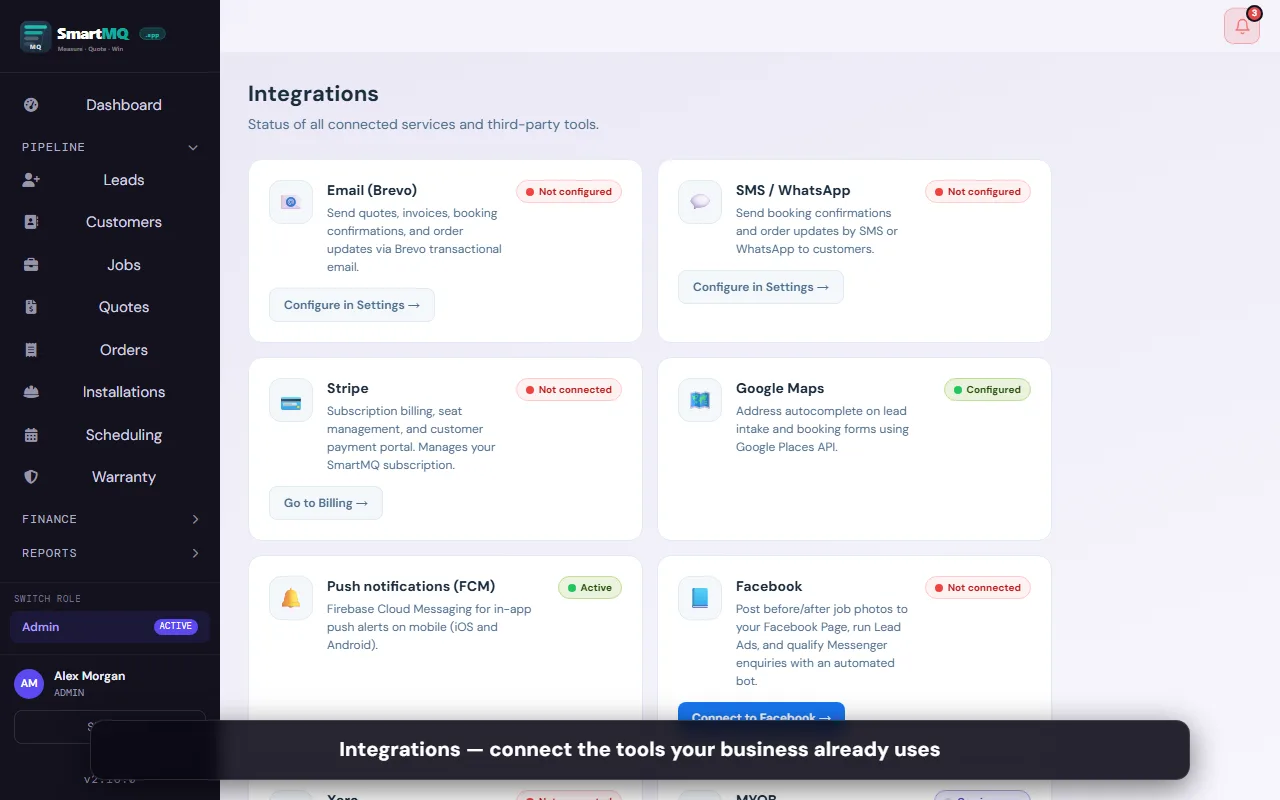
Integrations

Connect the tools you already use.

Native integrations with the accounting, communication, and productivity tools that blinds businesses rely on.
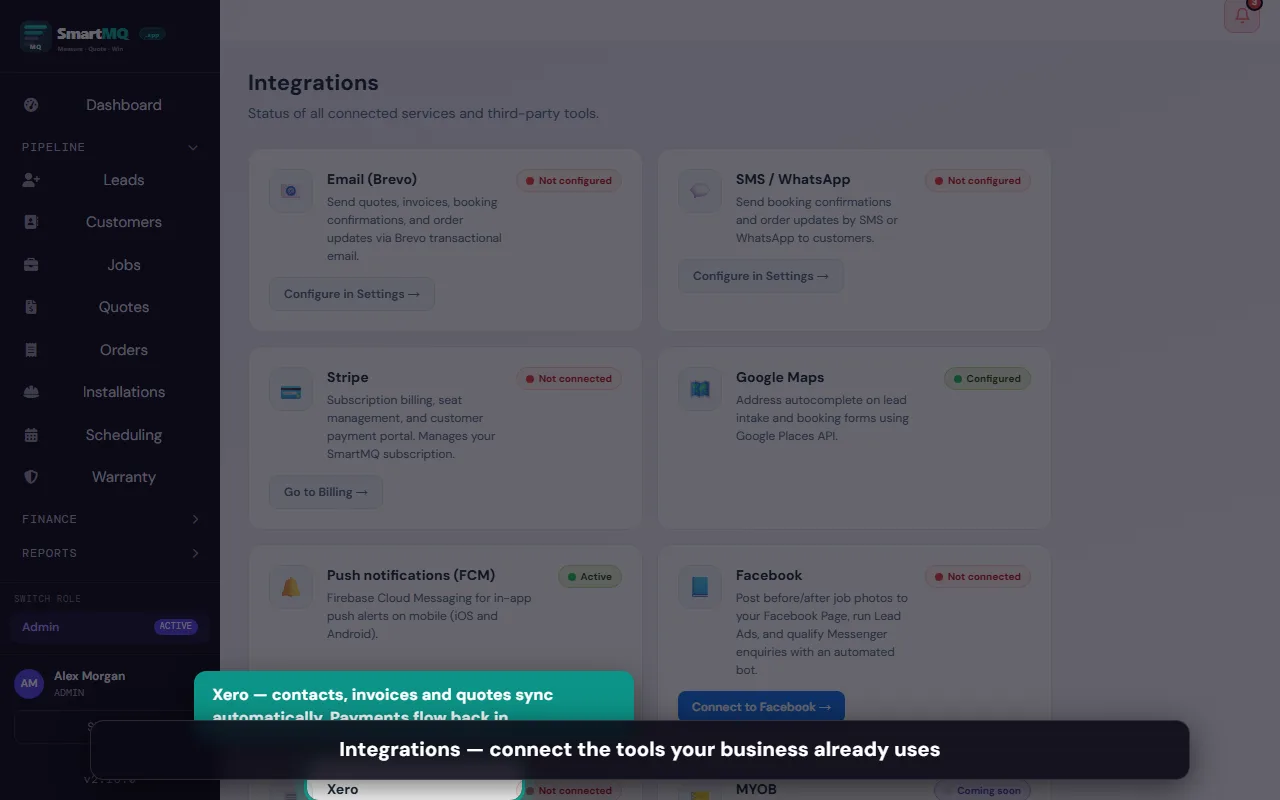
Xero

Sync contacts, invoices, and quotes to Xero. Payment status updates automatically. (Pro+)

Facebook

Connect your Facebook Page to post photos and import leads from Lead Ad campaigns. (All plans)

WhatsApp Business

Send automated messages via WhatsApp Business API. (All plans*)

Google Maps

Address autocomplete on lead and job forms using Google Places. Built in.

Stripe

Accept credit card payments for deposits and invoices via Stripe. (Pro+)

Brevo email

Branded quote and invoice emails delivered via Brevo — with open tracking and delivery status.

MYOB

Export invoices and customer records to MYOB AccountRight. (Pro+ — coming soon)

API access

Build your own integrations using the SmartMQ REST API. (Enterprise — coming soon)

Features marked (Pro+) require a Pro or Enterprise plan. Features marked (Enterprise) require an Enterprise plan. Features marked * require SMS/WhatsApp activation add-on on Starter. All other features are included on every plan including Starter.

Compare Plans & Pricing →Start Free Trial

Ready to run your business smarter?

Start your free 30-day trial today. No credit card, no contract — just a cleaner workflow from day one.

Start Free Trial →

NZ-built · smartmq.app · Cancel anytime